
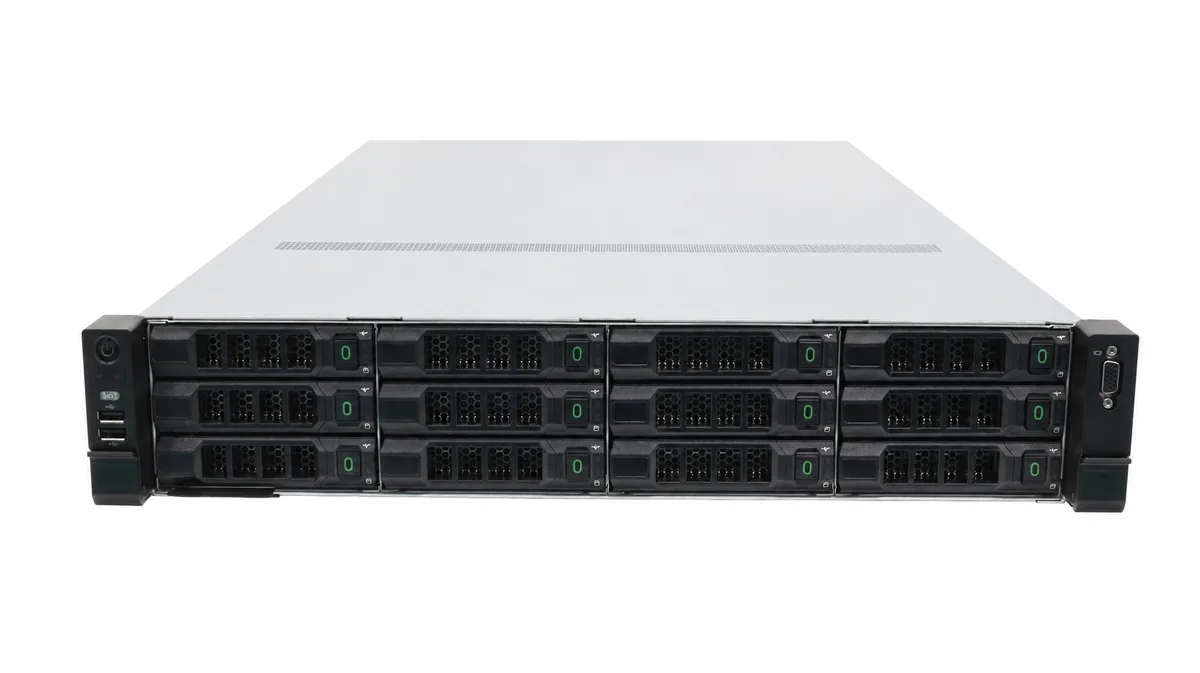
Rack vs Tower Server: Which to Buy?
Short answer: if you have a 19-inch rack cabinet (or plan to build one), buy a rack server. If you do not, buy a tower server. Rack servers scale and cool better; tower servers are simpler, quieter and cheaper to start. This guide compares both in about 8 minutes so you can decide before spending money.
Why This Question Comes Up
Most small and mid-size businesses hit this fork when their first server arrives: the quote lists 1U, 2U, tower, rack, and nothing explains which one fits an office. Choosing wrong means buying a cabinet you never needed — or a tower you cannot stack when the company grows. The form factor drives space, power, cooling and upgrade costs, so it is worth 8 minutes to get it right.
What Is a Rack Server?
A rack server is a flat, wide computer that slides into a standard 19-inch rack cabinet. Height is measured in U: 1U is about 4.45 cm (1.75 in) tall, 2U is 8.9 cm, 4U is 17.8 cm. Most businesses choose 2U or 4U because the extra height leaves room for more hard drives and better cooling. Rack servers run the same server CPUs, ECC memory and remote management as towers — the difference is the case.
What Is a Tower Server?
A tower server looks like a tall desktop PC and stands on its own — no cabinet required. It uses the same Xeon or EPYC processors, ECC memory and IPMI/Redfish management, just wrapped in a case that fits on a shelf. Tower models are the default choice for offices without an IT room.
Rack vs Tower: Side-by-Side
| Feature | Rack server | Tower server |
|---|---|---|
| Where it lives | 19-inch rack cabinet | Desk, shelf, any room |
| Height | 1U–4U (4.45–17.8 cm) | 40–60 cm tall |
| Cooling | Strong rack airflow | Quiet, self-contained |
| Expansion | High (many drives/PCIe slots) | Moderate |
| Scaling out | Stack many units in one rack | One unit per office |
| Noise | Loud — needs a dedicated room | Quieter, office-friendly |
| Entry cost | Higher (plus cabinet) | Lower |
| Best for | Datacenters, 3+ servers | Single office, up to ~50 users |
When to Choose a Rack Server
- You already have a rack cabinet, or the office plans one
- You run 3+ servers and expect to grow
- You want GPUs, storage arrays and switches in one managed space
- Rack airflow keeps high-load CPUs cooler than a tower can
When to Choose a Tower Server
- No dedicated IT room and no cabinet
- One server for 10–50 users
- Budget matters more than density
- Quiet operation matters — the server sits near people
Reference Configurations (2026)
| Tier | Use case | Suggested build |
|---|---|---|
| Entry (~$800–$1,200) | 10–20 users, files/print | 8-core CPU, 16 GB, 2×1 TB SSD RAID1 |
| Mainstream (~$1,500–$2,500) | 20–50 users, ERP, virtualization | 16-core CPU, 64 GB, 2×480 GB SSD + 4×4 TB HDD |
| High-end ($3,000+) | Database, AI inference | Dual CPU, 128 GB+, NVMe, optional GPU |
Configs are starting points — ask for a quote to match your workload. Note: RAID 1 mirrors two disks so one can fail without data loss; ECC memory auto-corrects single-bit errors, which standard desktop RAM cannot.
3 Key Takeaways
- Cabinet? Rack server. No cabinet? Tower server.
- Rack wins on expansion, cooling and density; tower wins on simplicity, quiet and entry price.
- Include cabinet, power and cooling in your total cost of ownership (TCO) — not just the sticker price.
FAQ
- Can I put a rack server on a desk? Technically yes, but rack fans are loud; put it in a utility room or buy a tower instead.
- Do I really need ECC memory? Yes — server ECC memory catches single-bit errors that corrupt databases, and standard desktop RAM cannot.
- Can a tower server run the same software? Yes — both run the same Windows/Linux server OS and applications; the case is the only real difference.
- What is the real cost difference? A rack server adds a cabinet (~$300–$1,000) plus rack power and cooling; towers avoid that but cap expansion.
- How many users can a tower server handle? Comfortably up to ~50 users for file/ERP workloads; beyond that, rack servers or virtualization clusters make sense.
Get a Second Opinion Before You Buy
Tell us your company size and applications and TF NEW will recommend a form factor, configuration and quote — free, with OEM customization available. Contact TF NEW or browse our rack and tower servers.
Last updated: 2026-09. Prices and specs verified quarterly.